How to get Horse Review Report
-
Shows detailed horse records including Pedigree, Location, Status, Last Race, and Notes.
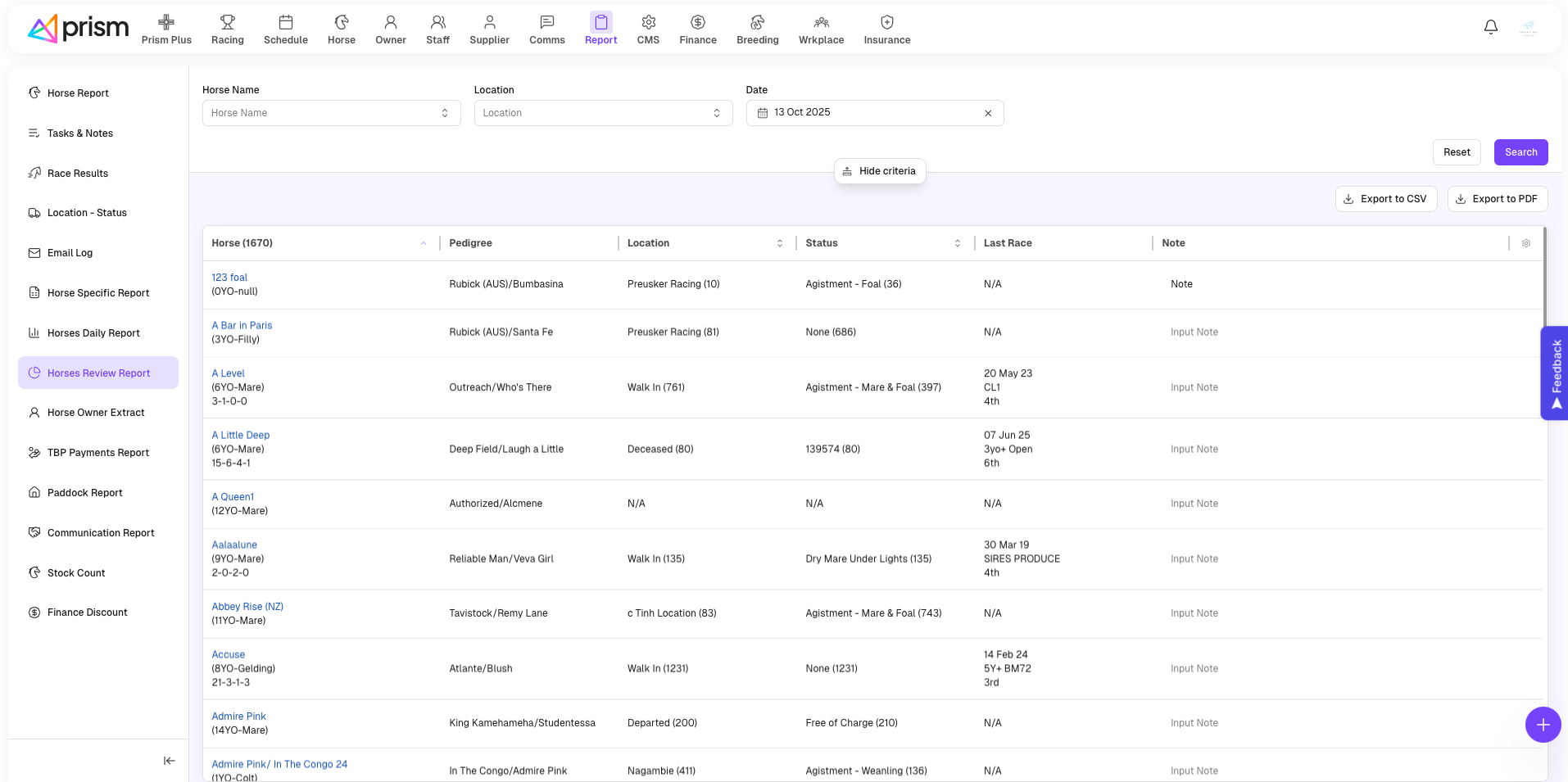
Add Note Inline
-
In the Note column, click Input Note next to a horse.
-
Enter comments or updates.
-
Press Enter or click outside the box to save.
Search / Filter / Sort
-
Use Horse Name to search for a specific horse.
-
Select a Location from the dropdown.
-
Pick a Date to filter by day.
-
Click Search to update the report or Reset to clear.
-
Sort any column by clicking its header (Horse, Location, Status, etc.).
Export CSV
Print
Related Articles
How to get report for Location and Status
The Location and Status report is a very useful report when going live with your Prism portal, and ongoing. The Location and Status Report provides an overview of where your horses are and how long they have been in their current location or status. ...
How to get Horse Specific Report
Report List Displays horse-specific data such as weight, health, or other chosen categories. Each row shows Horse Name and selected category details. Search / Filter Use Horse Name dropdown to locate a specific horse. Choose a Category (e.g., Weight, ...
How to get Horse Daily Report
Report List Displays all horses and daily details (Sire, Dam, notes) for the selected date. Add Note Inline In the Note column, click Input Note beside a horse. Type the note directly. Press Enter or click outside the field to save. Search / Sort ...
How to manage Horse Report(s)
How to add a Pre-Race or Post-Race Report Pre-Race and Post-Race Reports allow you to send out pre-populated reports to your owners, upon Race Acceptance and Race Results being added into your Prism Portal. This usually occurs within 30 minutes of ...
How to get a Service fee report
Go to Breeding > Service Fee Report to access the report. The Season will default to the latest season, but you can change the season. You can filter the list by Season, Stallion, Owner and Mare by clicking on the 'Funnel' icon next to the label of ...