How to view Bookings list in Breeding Dashboard or Stallion Booking

How to view Bookings list in Breeding Dashboard or Stallion Booking

Breeding Dashboard

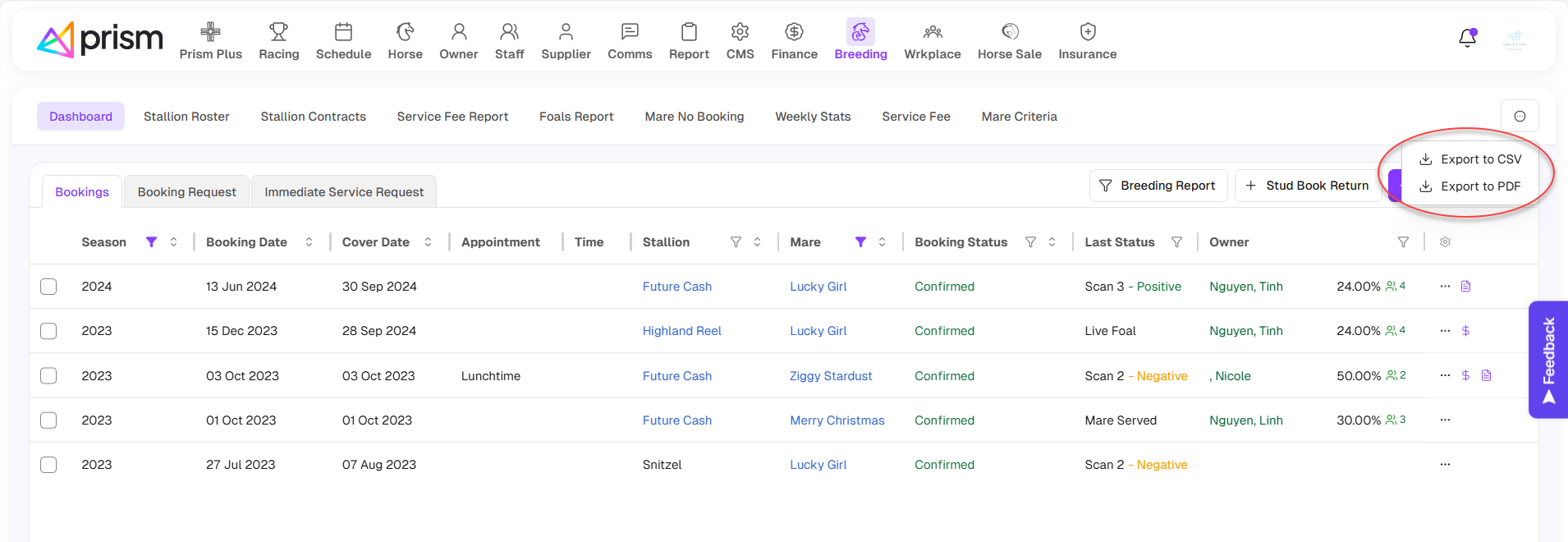
Go to Breeding > Dashboard > Bookings to access. 
The Season will default to the latest season, but you can change the season.

You can filter the list by Season, Source, Stallion Type, Stallion, Mare, Location, Booking Status, Last Status, Owner by clicking on the 'Funnel' icon next to the label of headings.

You can order the list by Season, Source, Booking date, Cover date, Stallion, Mare, Booking status.
You can save the report in CSV or PDF format by clicking “Export to CSV” or “Export to PDF” inside the three-dot button.
You can add new contract, view contract or edit draft contract (Follow these steps to generate and send an e-signature Stallion Contract.)

Stallion Booking list

In the Horse > Breeding screen, you can view all stallion booking of horse.

In the screen, You can filter the list by Date, Cover Date, Mare, Owner and Status  by clicking on the 'Funnel' icon next to the label of headings.

You can also manage columns by clicking on the ‘Setting’ icon and ticking the options you want to view.
    • Related Articles

    • How to manage Bookings

      Add a Stallion Booking Using the ‘Add Anywhere’ button, click on “Stallion Booking”. The Add Stallion Booking screen will appear. Confirm the Booking Date (default is current date), the Season and Country. Select whether the booking you are adding is ...
    • How to list your Stallion(s) on Breedr and receive Booking Requests

      Prism is proud to partner with the digital stallion booking portal, Breedr. This partnership affords subscribers to Prism's Breeding Management module, an easy way to list stallions on Breedr and accept stallion booking requests electronically. List ...
    • How to View Service history of a Stallion

      View Service history of a Stallion Go to the Horse list and search for the Stallion. Click on the Breeding tab, select the “History” sub-tab. List of all historical data for the selected Stallion will display. In this History tab, you can: Delete an ...
    • How to manage your Stallion Roster and schedule

      The Stallion Roster (Breeding > Stallion Roster) allows you to view and manage all bookings for each Stallion, including scheduling, updating, and approving external booking requests. View Stallion Roster You can view the roster by Today, Week, ...
    • How to get Stallion Fertility report

      The Stallion Fertility Report has now been released. For the selected season, this report provides important data for your management of your standing Stallions. Navigate to Breeding > Dashboard, then select Stallion Fertility Report from the Filter ...